Learn By Doing - AWS

It's 2026 and I have somehow managed to only work with on-prem environments my entire career thus far. This year though, I plan to change that. Back in December 2025, I decided to start fresh and enrolled in the AWS Certified Cloud Practitioner pathway via https://skillbuilder.aws/learn which prepares you for the fundamentals certification. With it being a fundamental certification, it's all high-level knowledge geared towards introducing you to the more popular AWS services and how to use them appropriately. In 2019, I got my AWS CSAA which was very useful in understanding how to best architect an environment based on customer needs. However, practical application reinforces knowledge and without any real-world use for that knowledge, it slowly escaped me over time. I got that cert with the goal in mind that we would have an AWS dev environment setup within the next year but some reorganization and other matters out of my control ended up with that plan falling through. Once I got into a security role a few years later, I did end up using that cloud knowledge to setup a honeypot which also ended up being one of my first few blog posts: Using a Honeypot to Capture TeamTNT Activity. The reason I'm going back to the basics with fundamentals isn't necessarily to grab certifications and work all the way up to AWS Certified Security - Specialty. As I've learned in the past, certifications might only mean so much without work-experience to pair it with. In my case, I'm relearning the fundamentals so that I can ideate ways to use certain services. Not all of them but some.
This post documents some real-world use cases I've developed in AWS to familiarize myself with the platform and services.
SES
Starting off with one service I didn't think I'd actually use, Amazon Simple Email Service.
Amazon Simple Email Service (SES) is a cloud-based email service that provides cost-effective, flexible and scalable way for businesses of all sizes to keep in contact with their customers through email.
That may sound overly complex for a blog that doesn't operate as a newsletter or paid service and you'd be right, until I locked myself out of my own admin portal. For a while, I was able to avoid setting up SMTP on my Ghost site and everything was working well. As I was about to write this post, I for some reason decided that I had to, right now, enable 2FA on the admin portal since I realized I never set it up. I enabled the option, signed out and signed back in, except I couldn't sign in anymore. What's even better is I couldn't figure out why I was locked out since the progress wheel kept spinning without an error message. After reading some docs, I quickly realized that in order for 2FA to actually work, you need a mail configuration setup. The joys of self-hosting.


"mail": {
    "transport": "SMTP",
    "options": {
        "host": "YOUR-SES-SERVER-NAME",
        "port": 465,
        "service": "SES",
        "auth": {
            "user": "YOUR-SES-SMTP-ACCESS-KEY-ID",
            "pass": "YOUR-SES-SMTP-SECRET-ACCESS-KEY"
        }
    },
    "from": "[email protected]",
}
mail configuration example
Their 2FA works by sending you a code via email. I login to the admin portal with an email address so I figured they'd just send it there but I actually needed to configure my own SMTP transport. Having never done this before, I knew this would be a while.
In Ghost's configuration, they suggest MailGun. With the lowest tier costing $15/month, no thanks. I can justify unnecessary purchasing decisions, but $15/month to send me a 2FA code? Hard pass.
Next is SES. 0/2 here with free services but with a pay-what-you-use pricing model, maybe it won't be as bad? I already have an AWS account anyway which makes it easier. I setup my sending domain, ignored the optional settings, and created some SMTP credentials. Only thing left to do was add DNS entries into my domain provider so that SES could verify everything. Luckily they provided everything so it was just a lot of ctrl+c and ctrl+v. Three CNAMEs, one MX, and two TXT records later, I waited about 30 minutes for DNS to do it's thing and received two emails that DKIM and MAIL FROM configurations were a success. Neat! Back in my Ghost configuration file, I added the mail configuration code block, restarted the container, and when I logged into the admin portal, I was prompted to enter the 2FA code sent to my email. It actually worked!
CloudTrail
Before that mess above, the first service I enabled in my AWS account was CloudTrail. Given my current job as a threat hunter, this is the main service I knew I'd have to get familiar with. I also wanted to enable it immediately so I could start capturing everything and build a trail of activity as I go along.
If you aren't familiar with CloudTrail, it logs all user activity through the management console or API.
AWS CloudTrail is an AWS service that helps you enable operational and risk auditing, governance, and compliance of your AWS account. Actions taken by a user, role, or an AWS service are recorded as events in CloudTrail. Events include actions taken in the AWS Management Console, AWS Command Line Interface, and AWS SDKs and APIs.
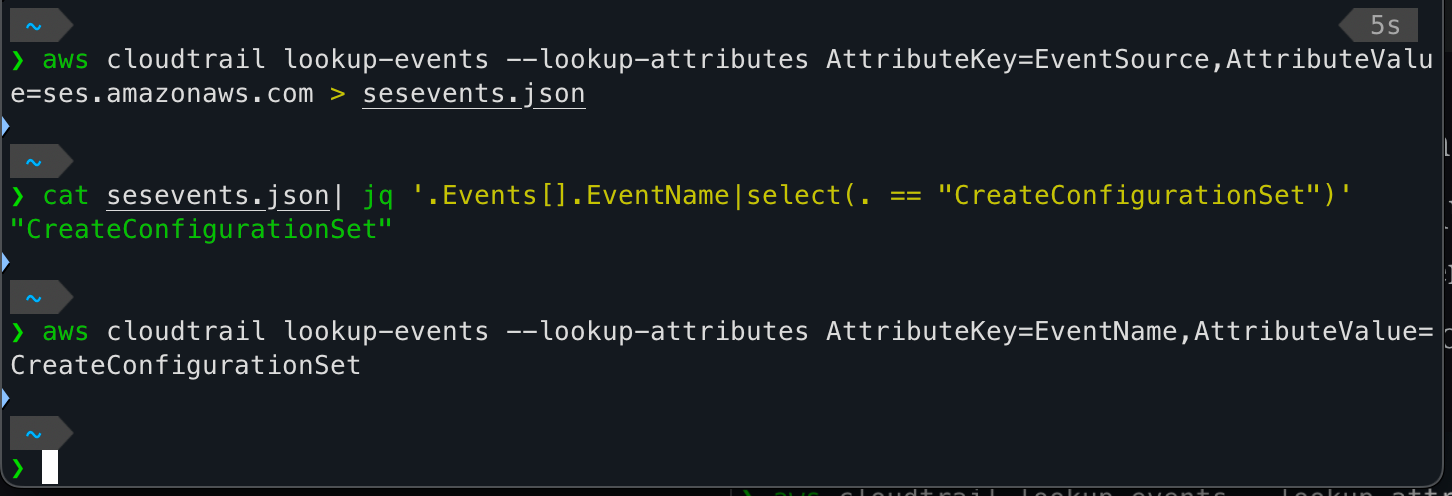
I created a "trail" called hunt-logs which is stored in S3. To my understanding, querying CloudTrail logs is limited to 90 days but if stored in S3, you can query beyond that limit. Plus, it also helps centralize logs so they're easier to analyze. Using the AWS CLI, you can easily query the logs:

Since I created an SES configuration set and other activity to setup that SMTP provider, that activity had to be in CloudTrail somewhere. I used the CLI to query on EventSource ses.amazonaws.com and saved the results to a JSON file. Then I checked if the EventName CreateConfigurationSet existed and it does. The final command actually outputs to less so it isn't a blank output. The JSON blob is a partial output of that command.
{
    "Events": [
        {
            "EventId": "ff6f5371-50ad-41db-8253-2be32be3fdde",
            "EventName": "CreateConfigurationSet",
            "ReadOnly": "false",
            "AccessKeyId": "REDACTED",
            "EventTime": "2026-02-01T17:12:42-07:00",
            "EventSource": "ses.amazonaws.com",
            "Username": "axelarator",
            "Resources": [],
            "CloudTrailEvent": "...event data..."
        }
    ]
}
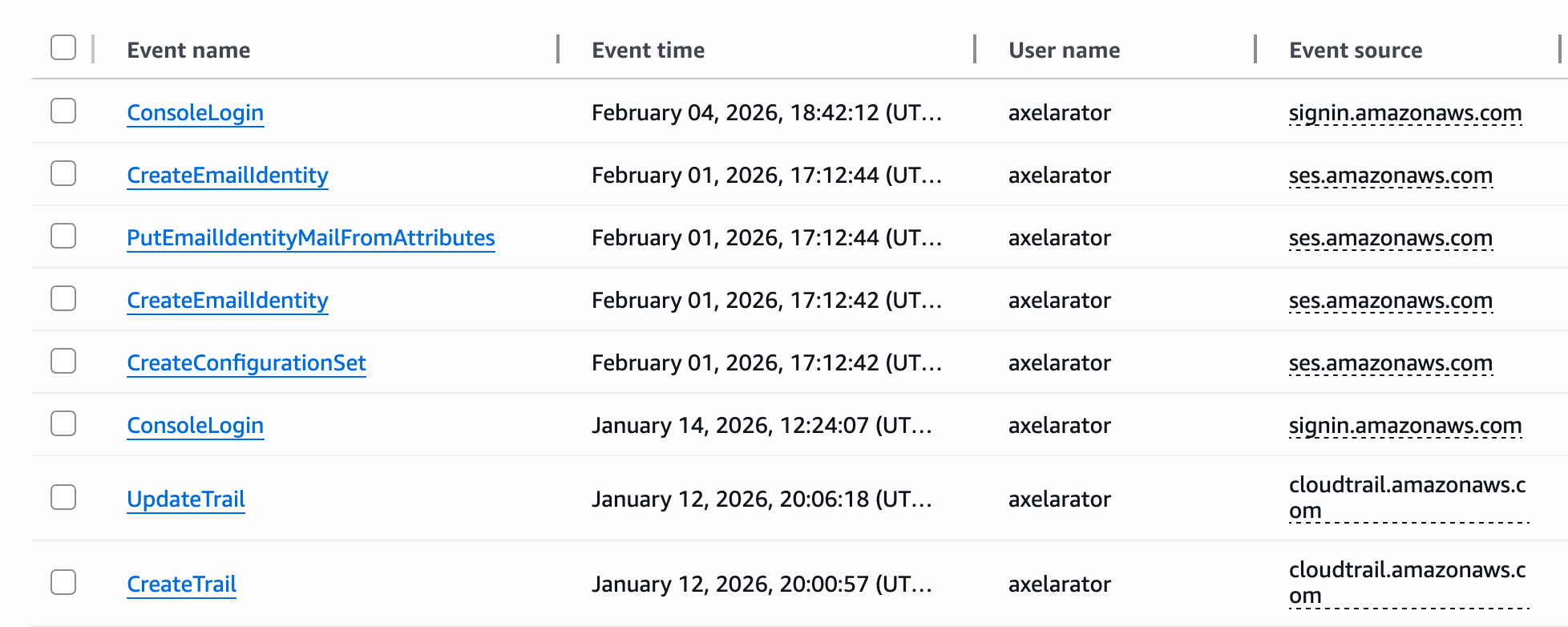
Other activity along with the rest of the SES process can also be seen from the CloudTrail portal. From bottom-up, I created a trail, attempted to update a non-existent trail, created a configuration set in SES, added my personal email and the MAIL FROM address.
Pacu
Knowing that CloudTrail logs are working, I wanted to emulate some suspicious behavior. I used Pacu which an AWS exploitation framework to carry out some reconnaissance and persistence.
To use Pacu, I installed it with pip3 install -U pacu and created an access key for the AWS CLI. Best practice for authenticating with the CLI is to run aws login and use your existing browser session to authenticate but Pacu has a set_keys command so for testing purposes, I created a temporary access key for my admin user (not root) and ran whoami to validate the keys were set.
Pacu (ec2test:admin) > whoami
{
  "UserName": null,
  "RoleName": null,
  "Arn": null,
  "AccountId": null,
  "UserId": null,
  "Roles": null,
  "Groups": null,
  "Policies": null,
  "AccessKeyId": "AKIAXX6YLDIFJPFONLXP",
  "SecretAccessKey": "LuPQunbOa7UiWmH9JeGV********************",
  "SessionToken": null,
  "KeyAlias": "admin",
  "PermissionsConfirmed": null,
  "Permissions": {
    "Allow": {},
    "Deny": {}
  }
}
Pacu has over 35 modules that range from reconnaissance, persistence, privilege escalation, enumeration, data exfiltration, log manipulation, and miscellaneous general exploitation. I'm only running some basic commands to generate logs so I can see what they look like in CloudTrail. One module is ec2__enum which doesn't require any additional parameters and since I have an EC2 instance running (more on that in the next section), I figured this would be a good first candidate.
Pacu (ec2test:admin) > run ec2__enum --regions us-west-1
  Running module ec2__enum...
[ec2__enum] Starting region us-west-1...
[ec2__enum]   1 instance(s) found.
[ec2__enum]   2 security groups(s) found.
[ec2__enum]   0 elastic IP address(es) found.
[ec2__enum]   1 public IP address(es) found and added to text file located at: ~/.local/share/pacu/ec2test/downloads/ec2_public_ips_ec2test_us-west-1.txt
[ec2__enum]   0 VPN customer gateway(s) found.
[ec2__enum]   0 dedicated host(s) found.
[ec2__enum]   1 network ACL(s) found.
[ec2__enum]   0 NAT gateway(s) found.
[ec2__enum]   1 network interface(s) found.
[ec2__enum]   1 route table(s) found.
[ec2__enum]   2 subnet(s) found.
[ec2__enum]   1 VPC(s) found.
[ec2__enum]   0 VPC endpoint(s) found.
[ec2__enum]   0 launch template(s) found.
[ec2__enum] ec2__enum completed.

[ec2__enum] MODULE SUMMARY:

  Regions:
     us-west-1

    1 total instance(s) found.
    2 total security group(s) found.
    0 total elastic IP address(es) found.
    1 total public IP address(es) found.
    0 total VPN customer gateway(s) found.
    0 total dedicated hosts(s) found.
    1 total network ACL(s) found.
    0 total NAT gateway(s) found.
    1 total network interface(s) found.
    1 total route table(s) found.
    2 total subnets(s) found.
    1 total VPC(s) found.
    0 total VPC endpoint(s) found.
    0 total launch template(s) found.
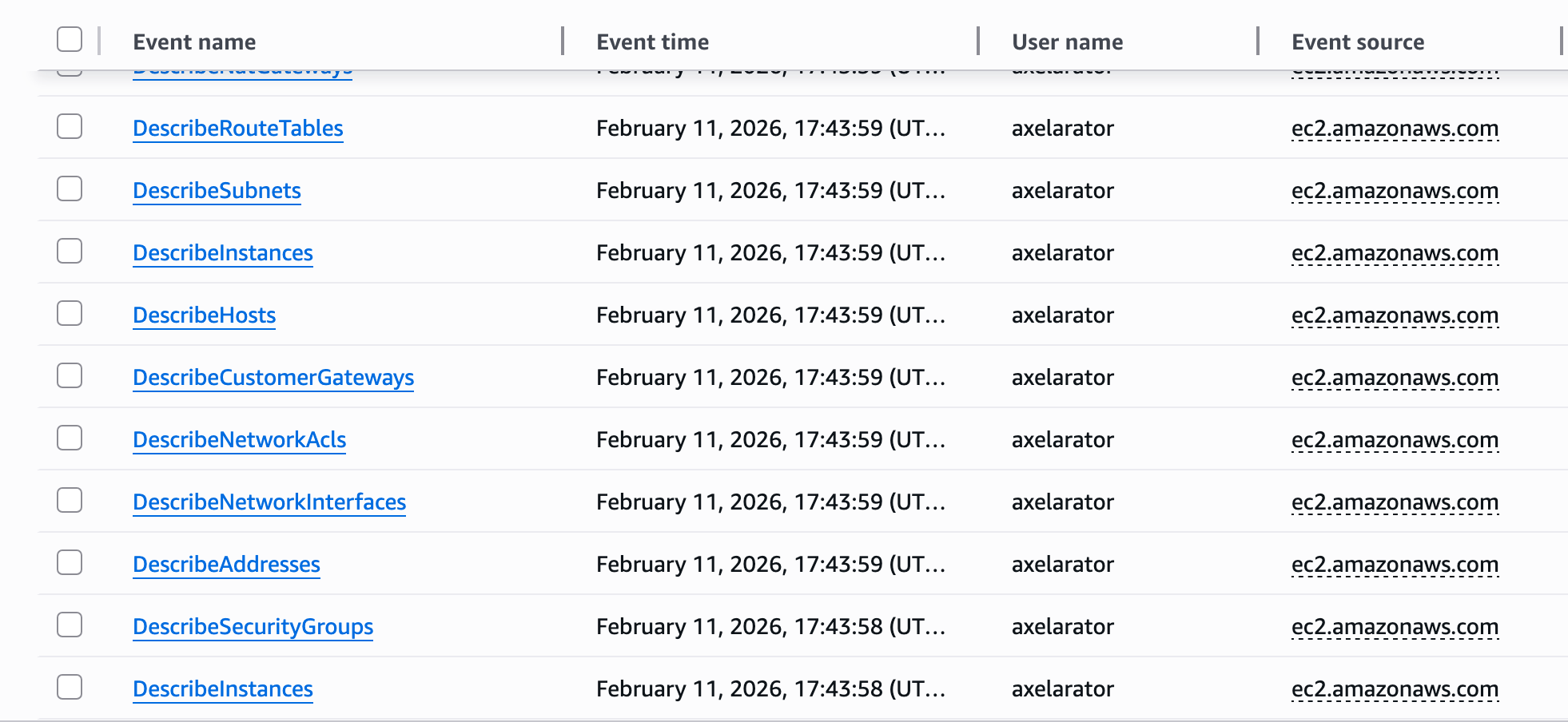
Looking back at CloudTrail logs, basic reconnaissance is very noisy. Something to note is early indicator signs of recon can include a lot of Describe* events in a short window.
Recon is important but what about something with a little more impact? Pacu has a module to backdoor existing security groups by opening a range of ports using UDP, TCP, ICMP or ALL. Since default AWS security groups block all ingress traffic and my custom security group doesn't allow ICMP, I checked if Pacu had a way to enable it for me.
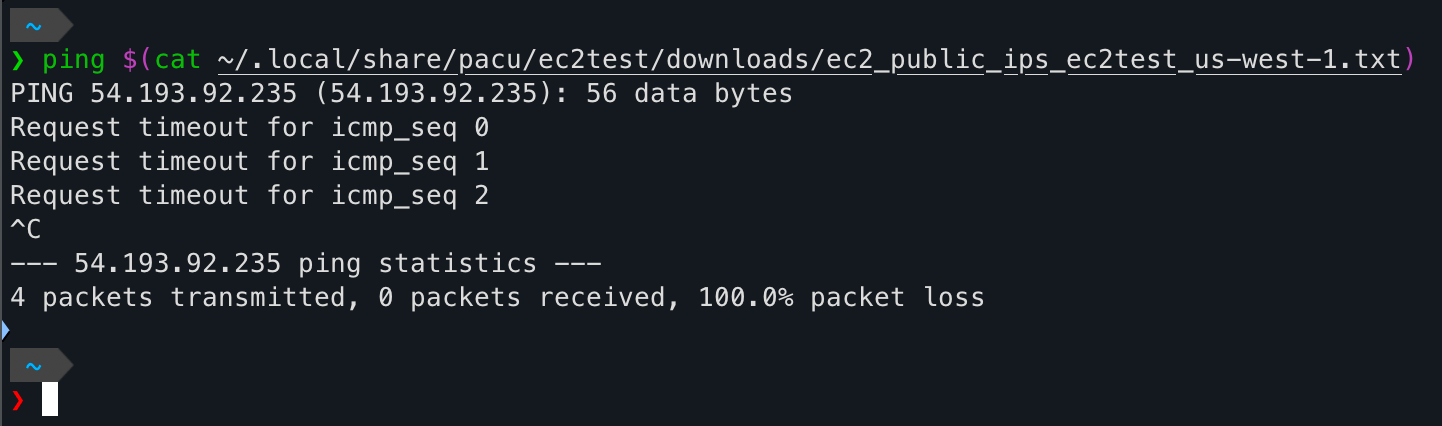
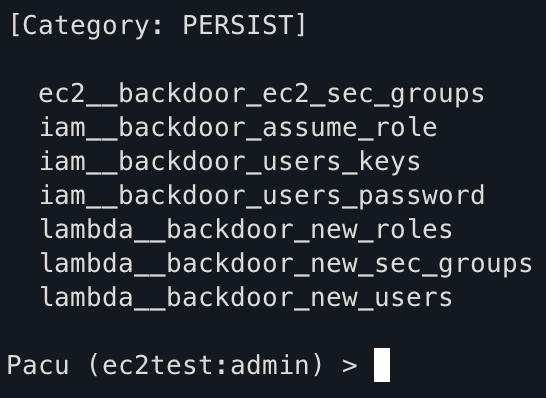
Using the ec2__backdoor_ec2_sec_groups module, that can be fixed. Or so I thought. Maybe it's a #skillissue but I actually could not get this module to work for ICMP. When looking at the module documentation, the default port range is 1-65535 but accepts anything with a start_port-end_port range. With ICMP though, the Boto3 documentation states If the protocol is ICMP, this is the ICMP type or -1 (all ICMP types).If I try to pass -1 as a value in the --port-range option though, I get an error invalid literal for int() with base 10 so it's not accepting negative numbers.
I did have a workaround but it took the fun away from using the module for the backdoor. Pacu allows running AWS CLI commands directly and looking at the the Boto3 documentation on security group ingress, an AWS-specific command can be run to achieve the same effect:
aws ec2 authorize-security-group-ingress --group-id sg-0ed08b17ad71b92be --ip-permissions IpProtocol=icmp,FromPort=-1,ToPort=-1,IpRanges='[{CidrIp=0.0.0.0/0}]'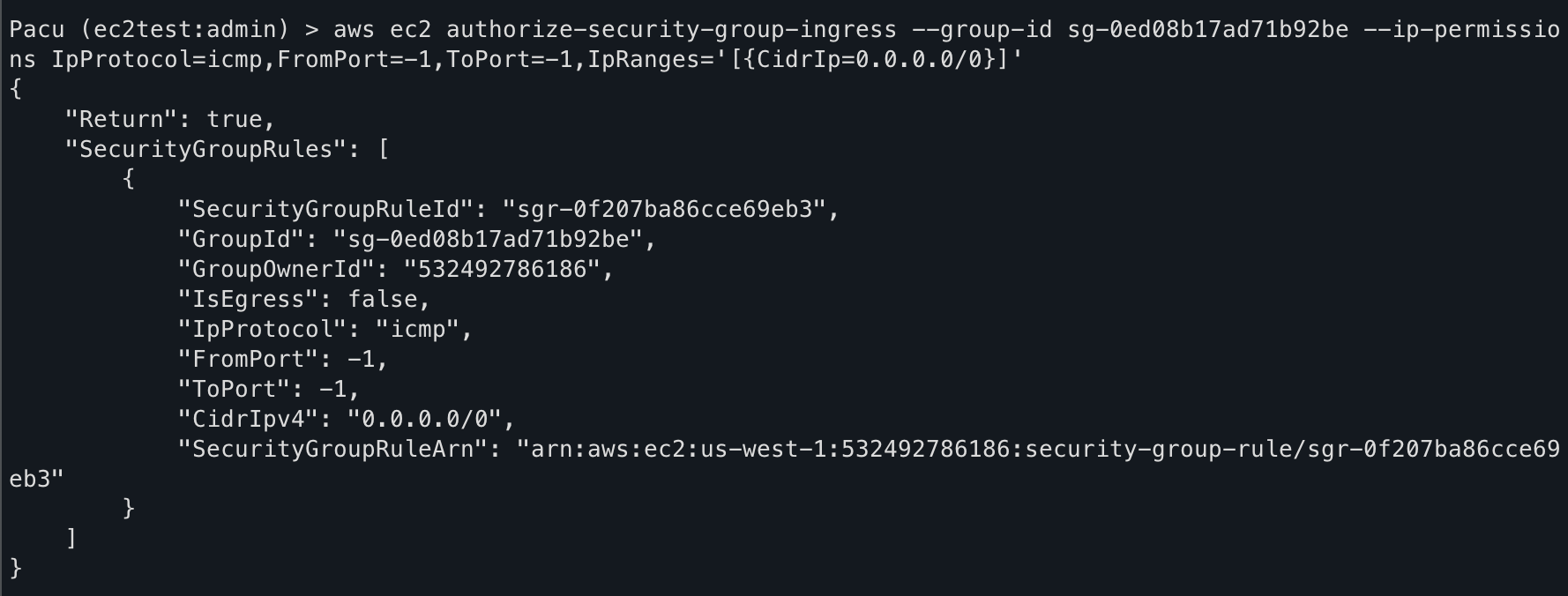
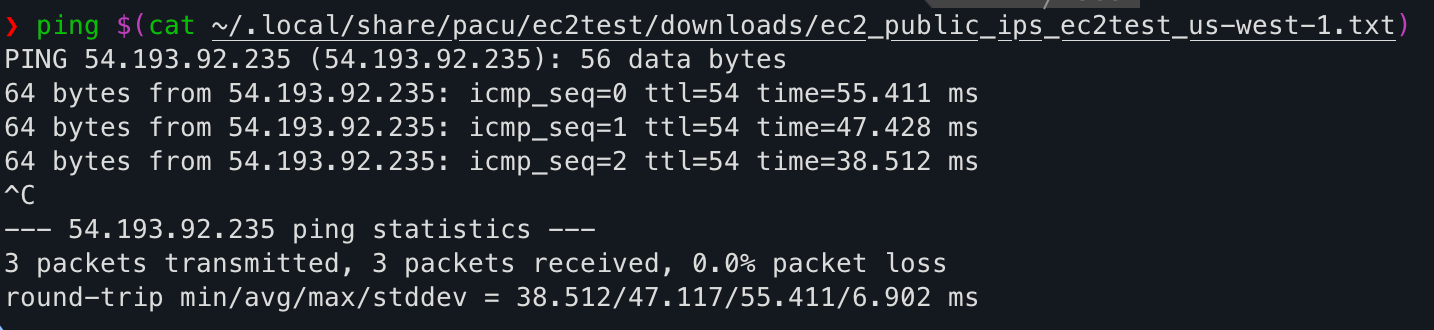
Ping successful! Back in CloudTrail, the logs show an ingress rule was created by axelarator. The second log as root is because I was logged into the management console as the root user to delete the rule after I confirmed a successful ping.

Looking at the logs in more detail, it's clear what happened.
    "eventVersion": "1.11",
    "userIdentity": {
        "type": "IAMUser",
        "principalId": "AIDAXX6YLDIFOHG6J22VC",
        "arn": "arn:aws:iam::532492786186:user/axelarator",
        "accountId": "532492786186",
        "accessKeyId": "AKIAXX6YLDIFJPFONLXP",
        "userName": "axelarator"
    },
    "eventTime": "2026-02-12T01:59:09Z",
    "eventSource": "ec2.amazonaws.com",
    "eventName": "AuthorizeSecurityGroupIngress",
    "awsRegion": "us-west-1",
    "sourceIPAddress": "public ip address",
    "userAgent": "aws-cli/1.44.37 md/Botocore#1.42.47 md/awscrt#0.29.2 ua/2.1 os/macos#24.6.0 md/arch#arm64 lang/python#3.14.2 md/pyimpl#CPython m/b,Z,D,n cfg/retry-mode#legacy botocore/1.42.47",
    "requestParameters": {
        "groupId": "sg-0ed08b17ad71b92be",
        "ipPermissions": {
            "items": [
                {
                    "ipProtocol": "icmp",
                    "fromPort": -1,
                    "toPort": -1,
                    "groups": {},
                    "ipRanges": {
                        "items": [
                            {
                                "cidrIp": "0.0.0.0/0"
                            }
                        ]
                    },
                    "ipv6Ranges": {},
                    "prefixListIds": {}
                }
            ]
        }
    },
CloudTrail JSON output
- userIdentity shows who triggered the event
- eventSource is because the security group is tied to an EC2 instance
- AuthorizeSecurityGroupIngress (Boto3 documentation)
- userAgent shows the activity came from an aws-cli instance. I ran this command from my Macbook.
- Notice the fromPort and toPort being -1 and the ipProtocol is ICMP. That's what I was trying to define with the Pacu module but the
--port-rangedidn't allow negative integers.
That's enough for CloudTrail basics. Onto that EC2 instance I mentioned...
EC2
It wouldn't be AWS training without setting up an EC2 instance but there was still the question of what to run? Since I'm the age of being in between a millennial and Gen-Z , I never grew up with IRC. AIM is actually where I started but still didn't get much use out of it before Skype emerged. Since an instant message server requires consistent uptime, hosting it on an EC2 instance seemed like a better solution than self-hosting on Proxmox.
Admittedly, I didn't look too long at server options since InspIRCd and Ergo came up a lot. I went with Ergo because I was drawn to the rehashable feature of configuring the server as it's running and that it's written in Go. Those reasons are simplistic and that's fine. These are easy to setup anyway so I can setup InspIRCd later on and test that too.
Within the AWS Management Console, I created an EC2 instance using the Debian13 AMI within the default VPC. Not knowing what I'd need for storage, I added a 20Gb EBS volume for persistent storage since it kept me within the free tier.
EBS is a scalable block storage service that provides persistent, high-performance volumes you can attach to your EC2 instances for data storage and applications.
Block storage is persistent compared to EC2 instance store volumes which are drives attached to the underlying physical host that when an instance is stopped or terminated, the data on that instance store volume is also deleted.
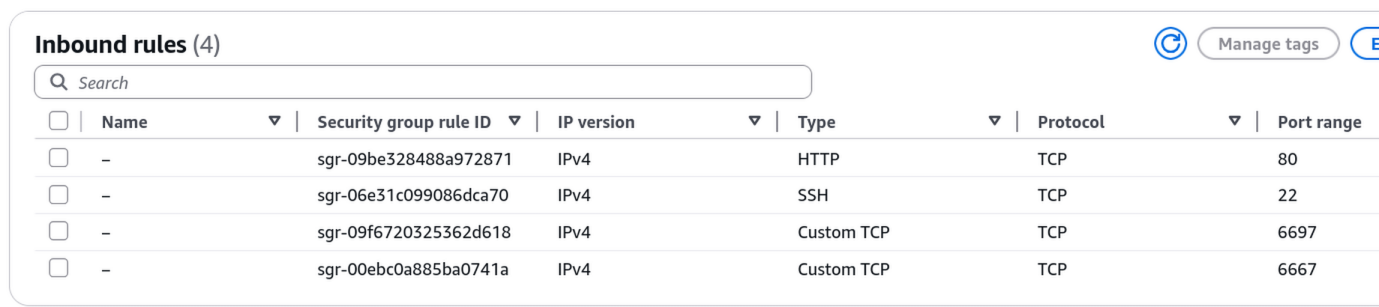
The next task was creating security groups. The default security group denies all inbound traffic which means after spinning up an instance, SSH is blocked. Rather than modify the default, I created a security group specifically for the IRC functionality in case I run more instances and want them part of the same group. In the table below:
- Port 80 is open for Certbot to obtain valid TLS certificates.
- Port 22 is open but restricted to just my WAN IP at home so I can connect to the EC2 instance.
- Port 6697 is IRC over TLS
- Port 6667 is the standard IRC port
This is all that's needed to start using IRC on EC2.
Next was to actually install Ergo. Since this is an AWS-themed post, I won't go over the install steps. They're well laid out here. The great thing about Ergo is it's configured with a single YAML file and for right now, most of my settings are default except the network name and server name. The server name is the subdomain of a domain I own. All I had to do was create an A record using the EC2 public IP and point it to a subdomain.

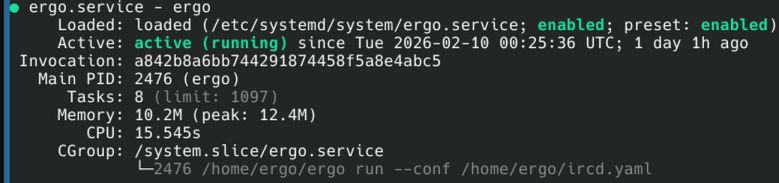
After creating a systemd service for Ergo and securing it away under a separate user, I had it running.
On to the client.
Again, I didn't put much effort in my decision. Irssi was recommended so I went with that since I had a single goal which was to connect to my server. Irssi just requires two prerequisites, Ninja and Meson, to compile the source code. Since I was doing this from my desktop, where I run Arch (btw), this was an easy pacman install.
sudo pacman -Syu ninja meson
tar xJf irssi-*.tar.xz
cd irssi-*
meson Build
ninja -C Build && sudo ninja -C Build install
irssi
Now that I have an IRC client to connect to my server, I can connect to my server below using the command /connect -tls <my irc server > 6697 <server password>. I did do the bare minimum and require a password to connect so random people can't join.
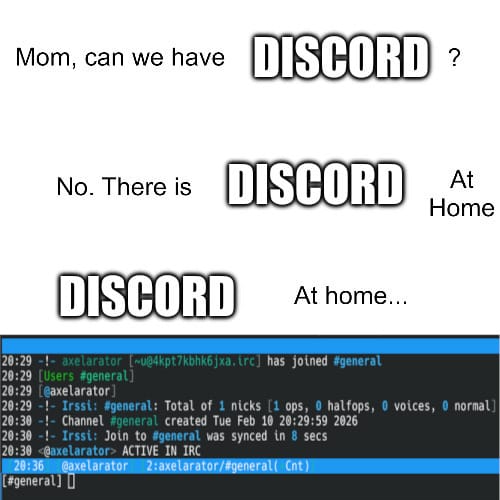
I don't have any immediate plans for this IRC server other than treat it like a sandbox and see what I can do with it. There's a lot to learn when using a messaging protocol from 1988.
Conclusion
This post was more of a fun exploration into AWS while I learn the fundamentals and get more familiar with log analysis. I'm a hands-on learner so sitting watching videos and taking practice exams isn't the best way to absorb the knowledge. I need some practical application to get familiar with what I'm learning. The goal wasn't to use every service out there or rebuild my homelab in the cloud. I don't have a reason or frankly the money to go forth with that. Getting some experience with EC2, IAM, security groups, VPCs, SES, CloudTrail, and CloudWatch was enough.